Ab Initio Tutorials and Examples and Interview Questions,Ab Initio Components Explanation,

Showing posts with label Ab Initio Component. Show all posts

Difference Between Aggregation And Rollup

Aggregation and Rollup, both are used to summarize the data.

- Rollup is much better and convenient to use.

- Rollup can perform some additional functionality, like input filtering and output filtering of records.

- Aggregate does not display the intermediate results in main memory, where as Rollup can.

- Analyzing a particular summarization is much simpler compared to Aggregations.
this are the main difference between aggregate and rollup in abinitio

Reformat Detailed Explanation Ab Initio Component

Reformat Detailed Explanation Ab Initio Component


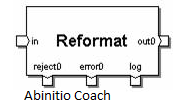
Reformat Component Ab Initio::
Reformat Changes the record format of your data by dropping fields or by using dml expressions to add fields,combine fields or modify the data.
reformat-graph-with example

input port

input must be .dat file as general cases
reformat-dml-expression
reformat parameters
  • count


  • tansform


  • select


  • reject threshold


  • logging


  • reformat-tranform-parameter


    output port
    save .dat file and graph in your sandbox or EME server.

    Partition Components

    Partition Components
    Partition Components
    In the

    ab initio/abinitio

    having few usefull partition components described below.
    Partition Components
    Partition Components Classification/Types::
  • Broad cast

  • Partition By Expression


  • Partition By Key


  • Partition By Percentage


  • Partition By Range


  • Partition By Round-robin


  • Partition By Load Balance

  • Tags:: Partition Components,Partition Components types,Partition Components real time,Partition Components abinitio,Partition Components ab initio

    Filter By Expression component

    Filter By Expression component

    Filter By Expression component in ab initio with example and real time parameters
    Filter By Expression component
    Purpose
    Filter by Expression filters records according to a DML expression or transform function, which specifies the selection criteria.
    Filter by Expression is sometimes used to create a subset, or sample, of the data. For example, you can configure Filter by Expression to select a certain percentage of records, or to select every third (or fourth, or fifth, and so on) record. Note that if you need a random sample of a specific size, you should use the sample component.
    FILTER BY EXPRESSION supports implicit reformat. For more information, see “Implicit reformat”.
    Recommendation
    Component folding can enhance the performance of this component. If this feature is enabled, the Co>Operating System folds this component by default. See “Component folding” for more information.
    Location in the Component Organizer
    Transform folder
    Runtime behavior of FILTER BY EXPRESSION
    Filter by Expression does the following:
  • Reads data records from the in port.


  • If the use_package parameter is false, applies the expression in the select_expr parameter to each record. It routes records as follows, based on how the expression evaluates:


  • For a non-0 value, Filter by Expression writes the record to the out port.


  • For 0, Filter by Expression writes the record to the deselect port. If you do not connect a flow to the deselect port, Filter by Expression discards the records.
  • For NULL, Filter by Expression writes the record to the reject port and a descriptive error message to the error port


  • If the use_package parameter is true, executes the functions defined in the package


  • If output_for_error or make_error is defined, executes them whenever an error event occurs. If log_error is defined and logging of rejects is turned on, executes log_error.


  • Tags::filter by expression component in ab initio,filter by expression in ab initio,gather component in ab initio,rollup component in ab initio,partition component in ab initio,reformat component in ab initio,sort component in ab initio,normalize component in ab initio,scan component in ab initio,join component in ab initio

    Reformat Component

    Reformat Component
    Reformat Component in ab initio with example and real time environment
    Reformat-component-in-ab-initio
    Purpose
    Reformat changes the format of records by dropping fields, or by using DML expressions to add fields, combine fields, or transform the data in the records.

    Recommendation
    Component folding can enhance the performance of this component. If this feature is enabled, the Co>Operating System folds this component by default. See “Component folding” for more information.

    Location in the Component Organizer

    Transform folder
    Runtime behavior of REFORMAT
  • The component reads records from the in port.


  • If you specify an expression for the select parameter, the expression filters the records on the in port:


    • If the expression evaluates to 0 for a particular record, Reformat does not process the record, which means that the record does not appear on any output port.
    • If the expression produces NULL for any record, Reformat writes a descriptive error message and stops execution of the graph.


    • If the expression evaluates to anything other than 0 or NULL for a particular record, Reformat processes the record.


  • If you do not specify an expression for the select parameter, Reformat processes all the records on the in port.
  • If you specify a value for either output-index or output-indexes, Reformat passes the records to the transform functions, calling the transform function on each port in order, depending on the value of output-index or output-indexes, for each record, beginning with out port 0 and progressing through out portcount – 1.
  • The evaluation of the transform functions takes place within each partition of a Reformat running in parallel, which means that evaluations of later transform functions can depend on the results of the evaluations of earlier transform functions, such as modification of global variables or use of functions such as next_in_sequence.
  • If you do not specify a transform function for a particular out port, Reformat uses default record assignment. (For more information, see “Default record assignment”.) You can use default record assignment to eliminate fields from a record format.
  • Reformat writes the valid records to the out ports.
  • Dedup Sorted Component

    Dedup Sorted Component
    Dedup Sorted Component Explanation with example dedup sorted component in ab initio parameters
    Dedup-sorted-component
    Purpose
    Dedup Sorted separates one specified record in each group of records from the rest of the records in the group.
    Requirement
    Dedup Sorted requires grouped input.

    Recommendation
    Component folding can enhance the performance of this component. If this feature is enabled, the Co>Operating System folds this component by default. See “Component folding” for more information.

    Location in the Component Organizer
    Transform folder
    Runtime behavior of DEDUP SORTED with parameters

    in the parameters this are the act parameters in dedup sorted component in ab initio if you have software this parameters can fill and lean the dedup sorted component and learn with example


  • Dedup Sorted does the following:


    • Reads a grouped flow of records from the in port.
    • If your records are not already grouped, use SORT to group them.
    • Does one of the following:
    • If you have supplied an expression for the select parameter, Dedup Sorted applies the expression to the records as follows: If you do not supply an expression for the select parameter, Dedup Sorted processes all records on the in port.
    • Processes groups of records as follows:
    • Considers any consecutive records with the same key value to be in the same group. If a group consists of one record, writes that record to the out port. If a group consists of more than one record, uses the value of the keep parameter to determine which record — if any — to write to the out port, and which record or records to write to the dup port. If you have chosen unique-only for the keep parameter, does not write records to the out port from any groups consisting of more than one record.

    Normalize Component

    Normalize Component
    Normalize Component is also one of the multistage components in ab initio
    Normalize-component-ab-initio
    Purpose
    Normalize generates multiple output records from each of its input records. You can directly specify the number of output records for each input record, or you can make the number of output records dependent on a calculation.
    In contrast, to consolidate groups of related records into a single record with a vector field for each group — the inverse of NORMALIZE — you would use the accumulation function of the ROLLUP component.

    Recommendations
  • Always clean and validate data before normalizing it. Because Normalize uses a multistage transform, it follows computation rules that may cause unexpected or incorrect results in the presence of dirty data (NULLs or invalid values). Furthermore, the results will be hard to trace, particularly if the reject-threshold parameter is set to Never abort. Several factors — including the data type, the DML expression used to perform the normalization, and the value of the sorted-input parameter — may affect where the problems occur. It is safest to avoid normalizing dirty data.


  • Component folding can enhance the performance of this component. If this feature is enabled, the Co>Operating System folds this component by default. See “Component folding” for more information.


  • Location in the Component Organizer
    Transform folder

    Run time/Real time behavior of NORMALIZE Component in ab initio
  • Reads the input record.


  • Performs temporary initialization.


  • Performs iterations of the normalize transform function. NORMALIZE determines the number of iterations to perform using either the finished or the length function, whichever is defined:


  • Sends the output record to the out port.


  • Tags::normalize component in abinitio,ab initio components with examples,ab initio components with explanation,Normalize component in ab initio with example,multistage components in ab initio with detail explanation

    Scan Component

    Scan Component
    Scan Component with real time behavior of SCAN Component
    Scan-Component-Ab-initio
    Purpose
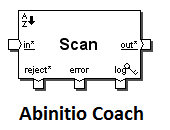
    For every input record, Scan generates an output record that consists of a running cumulative summary for the group to which the input record belongs, up to and including the current record. For example, the output records might include successive year-to-date totals for groups of records.
    Recommendations
  • If you want one summary record for a group, use ROLLUP.


  • The behavior of SCAN varies in the presence of dirty data (NULLs or invalid values), according to whether you use the aggregation functions for the scan:


  • Without aggregation functions, you can use SCAN normally.


  • With aggregation functions, always clean and validate data before scanning it. Because the aggregation functions use a multistage transform, SCAN follows computation rules that may cause unexpected or even incorrect results in the presence of dirty data (NULLs or invalid values). Furthermore, the results will be hard to trace, particularly if the reject-threshold parameter is set to Never abort. Several factors — including the data type, the DML expression used to perform the scan, and the value of the sorted-input parameter — may affect where the problems occur. It is safest to clean and validate the data before using the aggregation functions in SCAN.


  • Component folding can enhance the performance of this component. If this feature is enabled, the Co>Operating System folds this component by default. See “Component folding” for more information.


  • Location in the Component Organizer
    Transform folder
    At runtime, Scan does the following:
  • Input selection:


  • Temporary initialization:


  • Computation:


  • Finalization:


  • Output selection:


  • Tags:: scan component ab initio,scan component in ab initio with example,ab initio components list,ab initio components examples,ab initio Scan component with examples,ab initio components list

    ROLLUP Component

    ROLLUP Component
    ab initio Rollup component with examples and detail explanation
    Rollup Component Ab Initio
    Purpose
    Rollup evaluates a group of input records that have the same key, and then generates records that either summarize each group or select certain information from each group.
    Location in the Component Organizer
    Transform folder
    Recommendations
  • For new development, use Rollup rather than AGGREGATE. Rollup provides more control over record selection, grouping, and aggregation.


  • The behavior of ROLLUP varies in the presence of dirty data (NULLs or invalid values), according to whether you use the aggregation functions for the rollup:


  • Without aggregation functions, you can use ROLLUP normally.


  • With aggregation functions, always clean and validate data before rolling it up. Because the aggregation functions use a multistage transform, ROLLUP follows computation rules that may cause unexpected or even incorrect results in the presence of dirty data (NULLs or invalid values). Furthermore, the results will be hard to trace, particularly if the reject-threshold parameter is set to Never abort. Several factors — including the data type, the DML expression used to perform the rollup, and the value of the sorted-input parameter — may affect where the problems occur. It is safest to clean and validate the data before using the aggregation functions in ROLLUP.


  • Component folding can enhance the performance of this component. If this feature is enabled, the Co>Operating System folds this component by default. See “Component folding” for more information.


  • Then ROLLUP executes the following steps for each group of records:
  • Temporary initialization.


  • Computation.


  • Finalization.


  • Output selection.


  • Tags::rollup component in abinitio,scan component in ab initio with example,rollup without key in ab initio,expanded rollup in ab initio,ab initio components pdf,rollup and scan in ab initio,lookup in abinitio,ab initio components examples,roll up scenarios in ab initio
    Copyright © Ab Initio Coach. All rights reserved.